Video Editing Seekho.
Apni Creativity Ko Freedom Do.
Master Premiere Pro 2026 in Hindi — Beginner se Professional Video Editing tak. Learn pacing, color grading, visual effects & audio design.
Sale Ends Soon
Grab this Independence Day offer before price goes back to ₹1,999
Video Editing Seekhna Chahte Ho,
Lekin Start Kahan Se Karein?
Aksar beginners video editing seekhte waqt in carbon-copy problems se pareshan hote hain:
"Random tutorials follow karne ke bajay, ek structured learning path follow karo."
Introducing EZEdit Premiere Pro 2026 Course
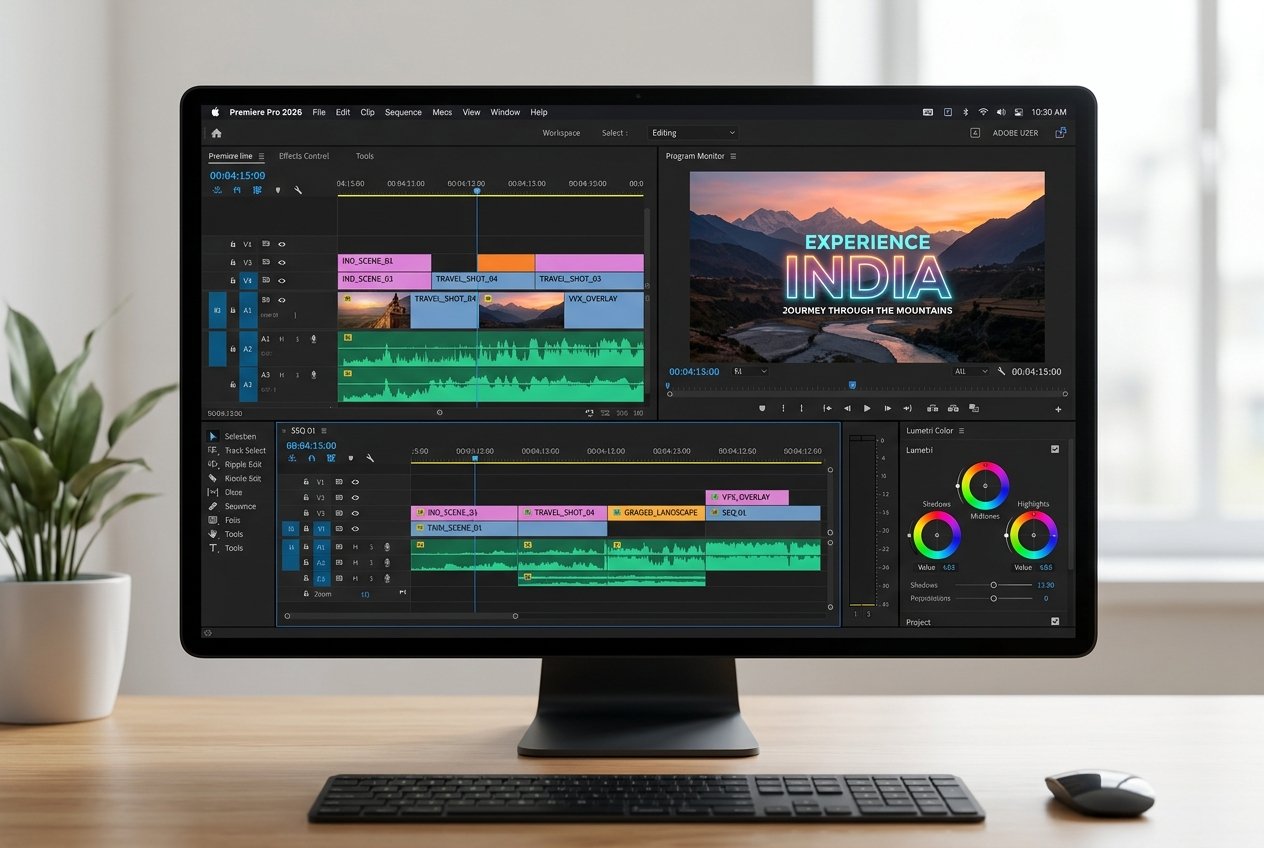
EZEdit ka structured video editing course specially beginners ke liye designed hai. Step-by-step Hindi/Hinglish lessons ke through Premiere Pro 2026 ko practical projects ke saath seekho. Theory nahi, hum directly professional timelines par kaam karenge taaki aap immediate real-world results dekh sakein.
Course Mein Kya Seekhoge?
Humne is course ko complete modules mein distribute kiya hai, jo bilkul step-by-step chalte hain:
Premiere Pro 2026
Interface introduction, workspace optimization aur professional shortcuts setup seekhein.
Cutting & Editing
Clean cuts, pacing aur narrative structure. Samajhein ki kab aur kahan edit lagana hai.
Transitions & Effects
Smooth transitions aur production value badhane ke liye digital visual effects use karein.
Color Grading
Color Correction aur Lumetri Color wheels ke through cinematic looks create karna seekhein.
Audio Editing
Dialogue clean-up, background music integration aur effects ke saath clean sounds banayein.
Text & Titles
Instagram Reels aur YouTube hooks ke liye dynamic captions, titles aur animations.
Pro Workflow
Timeline efficiency, media organization techniques aur rendering hacks faster delivery ke liye.
Real-World Editing
YouTube, Instagram Reels, client works aur freelancing gigs ke liye high-converting formats.
Ye Course Kiske Liye Hai?
Agar aap in categories mein se kisi ek mein aate ho, toh ye course aapke liye ultimate step hai:
Beginners
Jinhone pehle kabhi professional software open bhi nahi kiya.
YouTube Creators
Jo videos ko interactive aur engagement-driven banana chahte hain.
Reels Creators
Short-form videos ko hooks aur clean cut styles se viral karne ke liye.
Freelancers
Gigs aur clients ke liye international quality delivery seekhne ke liye.
Students
Apne career mein side hustle ya core skill build karne ke shaukeen.
Aspiring Editors
Jo industry-standard Premiere Pro seekh kar corporate jobs lena chahte hain.
Agar aapne kabhi video editing properly nahi seekhi, tab bhi aap is course se start kar sakte ho. Koi prior experience ki jarurat nahi hai.
Why Learn With EZEdit?
Baki generic platforms aur random content ke mukable hum focus karte hain real learning par:
Structured Learning
Random tutorials nahi — step-by-step layout jo base levels se high technical standards tak bilkul simple flow mein le jata hai.
Practical Approach
Sirf theory aur tool definitions nahi, hum real assets aur templates ke saath live projects par hands-on training karte hain.
Hindi/Hinglish Lessons
Complex tools aur terminology ko simple Indian creators ke colloquial Hindi mein samjhayein taaki conceptual clarity turant mile.
Latest Premiere Pro 2026
Latest Premiere Pro timeline interface shortcuts, smart AI tools integration aur speed enhancement techniques seekhein.
Is Independence Day, Apne Career Ko Ek Powerful Skill Ki Freedom Do.
Get lifetime access to our Premiere Pro 2026 Masterclass at the lowest price of the year.
₹599 Mein Kya Milega?
Iss course mein enroll karte hi aapko ye saari features aur resources unlock milengi:
All-Access Package
Everything you need to launch your video editing journey is packed here.
No hidden charges • No recurring subscription fees
Students Are Learning With EZEdit
Dehkiya hamare students ka kya kehna hai course workflow ke baare mein:
"Pehle main random tutorials dekhta tha lekin clarity nahi thi. EZEdit ke is structured format se mujhe workflow samajh aaya. Project structures aur assets download karke practice karna sabse best experience tha. Best ₹599 spent."

Rahul Sharma
YouTube Aspirant, Delhi
"Mujhe dynamic captions seekhne the Instagram reels ke liye. Course mein deep visual techniques and Premiere shortcuts sikhaaye gaye hain jo editing speed ko bohot badha dete hain. Lessons ka Hinglish explanation super simple hai!"

Priya Patel
Reels Content Creator, Mumbai
"Being a student, graphic and video editing seekhna ek financial target tha freelancing start karne ke liye. Iss course ne simple terms mein tool functions aur shortcuts samjhaye. Project assets humein direct download resources se mile."

Rohan Das
Freelancer Editor, Kolkata
Frequently Asked Questions
Aapke sabhi questions ke simple Hinglish answers:
Is this course beginner friendly?
Course kis language mein hai?
Premiere Pro ka kaunsa version sikhaya jayega?
Kya mujhe pehle se video editing aani chahiye?
Course access kaise milega?
Kya main mobile se course access kar sakta hoon?
₹599 offer kab tak available hai?
Apni Editing Journey Aaj Se Start Karo.
Premiere Pro 2026 seekho aur apni creativity ko ek professional skill mein transform karo. Join EZEdit community of successful video creators.
🇮🇳 Independence Day Special Sale